Visitor Management Software: QR Code Visitor Directions, Digital Payments and Business Information Sharing
 Introduction
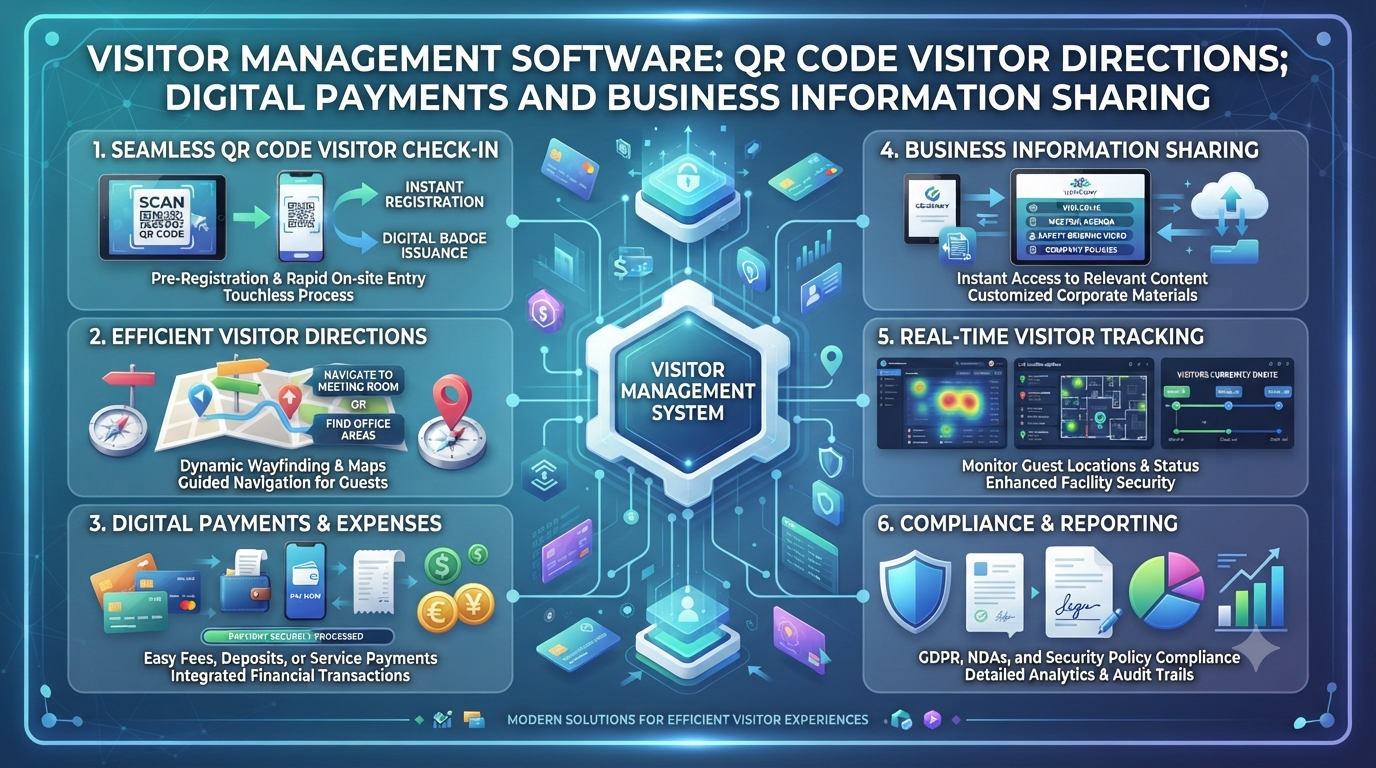
Visitors often struggle to find the correct business entrance. Customers may also need clear payment instructions. Suppliers sometimes request company registration information before working with a business. When these details are scattered across messages, people can become confused. Employees also spend time answering repeated questions. Businesses need a simple way to organize and share important information. Digital information pages can help solve this problem. They allow businesses to prepare separate details for visitors, customers, and business partners. People can open these pages through shared links or QR codes. Proezi helps businesses publish visitor directions, payment information, and business identity details online. Visitors can access shared pages through a browser. They do not need to install an app or create an account. Clear information can make everyday business communication easier.
What Is Visitor Management Software?
visitor management software helps businesses organize information and processes related to people visiting their locations. Depending on the platform, it may support arrival instructions, visitor details, access information, or other communication needs.
For this topic, businesses should focus on helping visitors understand where to go. A useful information page can explain the address, parking area, entrance, reception desk, and destination room.
Proezi.com provides web-based information pages that businesses can share through reusable links and QR codes. These pages can support visitor arrival information alongside separate payment and business identity pages.
Businesses should choose information that matches their actual needs. A simple office may need basic directions. A large property may need separate instructions for different entrances and departments.
Why Businesses Need Clear Visitor and Payment Information
People contact businesses for different reasons. A visitor may need directions. A customer may need bank transfer details. A supplier may request company registration information.
When staff members send these details manually, mistakes can happen. Someone may receive an old address or outdated payment information. A clear information page gives people one place to access the published details.
Businesses can organize information into three main areas:
- Visitor directions and arrival instructions.
- Payment information and transfer references.
- Business identity and registration details.
This structure makes each page easier to understand. Staff can share the relevant page instead of repeating long instructions.
Proezi.com supports these information-sharing needs through browser-based pages, reusable links, and QR codes. Businesses remain responsible for checking the information they publish.
Digital Visitor Arrival Instructions
digital visitor arrival instructions explain how someone should reach the correct destination after arriving near a business. They cover the practical steps between the nearby road and the final room or department.
A useful page should explain the visitor journey in order. Start with the property entrance. Then describe parking, reception, elevators, floors, and rooms where relevant.
For example, an office visitor may need to:
- Reach the main building entrance.
- Follow the visitor parking signs.
- Walk toward the reception area.
- Register at the front desk.
- Take the elevator to the required floor.
- Follow the signs to the meeting room.
Different people may need different routes. Drivers, pedestrians, taxi passengers, and delivery workers may use separate entrances.
Proezi.com supports visitor pages with photographs, map coordinates, landmarks, and emergency contact buttons. Businesses can use these details to prepare digital visitor arrival instructions.
They should review the information whenever building access or room arrangements change.
QR Code Directions for Visitors
QR code directions for visitors allow people to open arrival information by scanning a QR code. Businesses can place the code on appointment messages, invitations, signs, or printed cards.
The linked page can explain where visitors should park, which gate they should use, and how to reach reception.
Useful information includes:
- Complete business address.
- Nearby landmarks.
- Visitor parking location.
- Correct building entrance.
- Reception and check-in instructions.
- Floor and room information.
- Contact details for arrival questions.
Businesses can use QR code directions for visitors at offices, clinics, hotels, and event venues. Each code should lead to the correct location information.
Proezi.com helps businesses publish these pages and distribute them through QR codes. Visitors can open the information in their browsers without installing an app.
Businesses should test every code before printing it. They should also check the linked page whenever directions change.
Visitor Wayfinding Software for Better Building Navigation
visitor wayfinding software helps people understand how to reach a particular destination inside a property. It can explain routes between entrances, reception areas, floors, departments, and rooms.
A small office may need only one arrival page. A large building may need separate instructions for several departments.
Before choosing visitor wayfinding software, businesses should consider:
- Easy-to-read directions.
- Clear photographs of entrances.
- Separate routes for different visitor groups.
- Information about available step-free access.
- Temporary entrance or parking notices.
- Simple ways to share directions.
Proezi.com provides web-based visitor information pages. Businesses can share them through reusable links and QR codes.
When evaluating visitor wayfinding software, businesses should consider their building layout and visitor needs. The information should be simple enough for first-time visitors.
Regular updates also matter. Old room numbers and closed entrances can make directions confusing.
How to Create a How to Find Us Page for Business
A how to find us page for business helps customers and visitors reach the correct location. It should explain more than the street address.
Start with the complete address. Add a map link for outdoor travel. Then explain the final route from the nearby road to the business entrance.
A useful page should include:
- Business name and full address.
- Nearby roads and landmarks.
- Outdoor map links.
- Parking instructions.
- Entrance photographs.
- Reception details.
- Floor and room information.
- Contact information.
A how to find us page for business should use short instructions. Avoid unclear phrases such as "enter from the side." Explain which side and which entrance people should use.
Businesses with multiple branches should prepare separate location pages. Each page should identify the correct branch.
Proezi.com allows businesses to publish and share these information pages through links and QR codes. Businesses should keep every how to find us page for business accurate and current.
Parking and Entrance Directions for Visitors
parking and entrance directions for visitors explain where people should park and which entrance they should use. These details matter when a property has several gates or buildings.
A visitor may reach the correct address but park in the wrong area. Another person may enter through a staff-only gate.
Businesses should explain:
- Where visitors can park.
- Where taxis can stop.
- Which gate allows visitor entry.
- Where delivery vehicles should report.
- Which entrance leads to reception.
- Whether step-free access is available.
- How to walk from parking to the destination.
Photographs can help people recognize gates and entrances. Businesses should replace old photographs when the property changes.
Proezi.com pages can include photographs and written arrival details. Businesses can use them to explain parking and entrance directions for visitors.
Separate instructions may be useful for drivers, pedestrians, and delivery teams. Businesses should review parking and entrance directions for visitors whenever access arrangements change.
Event Venue Directions QR Code
An event venue directions QR code helps guests open event location and arrival information. Organizers can include it on invitations, tickets, registration messages, and printed signs.
Guests may know the venue address but still need to find the correct hall. They may also need parking details or a registration point.
The linked page can include:
- Venue name and complete address.
- Nearby landmarks.
- Guest parking details.
- Taxi drop-off information.
- Guest entrance.
- Registration desk location.
- Hall or meeting room details.
- Event contact information.
Organizers can prepare separate instructions for guests, speakers, and vendors. Vendors may need a service entrance instead of the main guest entrance.
An event venue directions QR code should be tested before distribution. Organizers should also update the page when access arrangements change.
Proezi.com supports visitor information pages that businesses and event organizers can share through QR codes.
Last Mile Navigation for Businesses
last mile navigation for businesses explains the final part of a journey. It helps people move from a nearby road or property boundary to the correct entrance.
Outdoor map applications may guide visitors to a street. They may not explain a private driveway, internal gate, or building reception.
Businesses can provide written directions for these final steps. Photographs and recognizable landmarks can make the route easier to follow.
Useful details include:
- Correct driveway and gate.
- Building entrance photographs.
- Visitor parking location.
- Walking route from parking.
- Reception and check-in details.
- Elevator and floor information.
- Delivery entrance instructions.
last mile navigation for businesses can support offices, clinics, hotels, warehouses, and event venues.
Proezi.com allows businesses to publish photographs, map coordinates, landmarks, and written directions. These details can support last mile navigation for businesses.
Businesses should check the instructions after road, entrance, or building changes.
How to Share Bank Details With Customers Safely
Customers often need bank information before paying an invoice. Businesses may send account details through emails or messages.
A dedicated information page can organize these details. Businesses can share bank details with customers through a reusable link or QR code.
A payment information page may include:
- Bank account information.
- Bank transfer instructions.
- Payment purpose.
- Transfer reference.
- UPI information.
- PayPal details.
- Supported international payment identifiers.
- Copyable payment details.
Businesses should check every account detail before publishing it. They should never publish passwords, PINs, or card security codes.
Customers should confirm the recipient and amount before transferring money. They should complete payments through their own bank or payment application.
Proezi.com helps businesses publish pages to share bank details with customers. It is not a bank, wallet, payment gateway, or payment processor. It does not collect, process, or transfer money.
Businesses remain responsible for the accuracy of payment information. Sharing a page does not guarantee payment safety or prevent fraud.
UPI QR Code Payment Page
A UPI QR code payment page provides customers with UPI payment information. UPI is a payment system used in India.
A business can publish its UPI details and explain the payment purpose. It may also include a reference to help identify the transfer.
A useful page can display:
- UPI payment details.
- UPI QR code.
- Payment purpose.
- Transfer reference.
- Copyable information.
- Business contact details.
Customers should check the recipient information in their payment application. They should confirm the amount before completing the transfer.
A UPI QR code payment page is an information page. It does not mean Proezi.com receives or transfers money. Customers make payments through their own payment applications.
Proezi.com supports businesses that want to publish and share payment information. Businesses should update their UPI QR code payment page whenever their UPI details change.
How to Share Business Registration Details Online
Suppliers and business partners may ask for company identity information. They may need a registered business name, company registration identifier, or tax number.
Businesses can share business registration details online through a dedicated information page. This gives relevant people one place to view the published details.
Before publishing, businesses should:
- Check the registered business name.
- Review each registration identifier.
- Check tax numbers for typing errors.
- Include relevant business information only.
- Review the page when details change.
Proezi.com supports business identity pages. It can check identifiers for format and checksum. A checksum is a calculation used to check whether information follows a particular structure.
These checks do not prove ownership or confirm government registration status. Businesses should not describe them as official verification.
When businesses share business registration details online, they remain responsible for the information they publish. Rules differ by country, so businesses should check local requirements.
Common Mistakes Businesses Should Avoid
A business information page needs regular attention. Incorrect details can confuse visitors and customers.
Avoid these common mistakes:
- Providing only the street address: Explain the correct entrance and final route.
- Leaving out parking details: Identify the visitor parking area.
- Using unclear directions: Write short steps in the correct order.
- Adding outdated photographs: Use images that match the current property.
- Printing untested QR codes: Scan each code before sharing it.
- Publishing incorrect bank details: Review payment information carefully.
- Sharing private payment information: Never publish passwords or PINs.
- Claiming government verification: Format checks do not prove registration.
- Ignoring temporary access changes: Update closed gates and changed routes.
- Forgetting regular reviews: Assign someone to maintain each page.
Businesses should also keep different information types separate. Visitors should not have to search through payment details to find directions.
When businesses publish QR code directions for visitors, they should test both the code and its destination. They should also review digital visitor arrival instructions whenever the building layout changes.
A Simple Example: A Fictional Furniture Showroom
Imagine a fictional furniture showroom called Oakline Home Studio. It operates inside a large commercial complex. Customers often reach the complex but struggle to find the showroom entrance.
The showroom prepares a visitor information page through Proezi.com. It adds the complex address, a photograph of the correct gate, and parking instructions. The page also explains the route from the entrance to the showroom floor.
The business shares the page through appointment messages. It also places a QR code near its customer service desk. Visitors can open the directions before their visit.
Oakline Home Studio creates a separate payment information page. It lists the relevant bank transfer details and payment reference. Customers complete transfers through their own banking applications. Proezi.com does not collect or transfer payments.
The showroom also publishes its business identity details on a separate page. It checks the information before sharing it. Proezi.com checks identifier format and checksum only. It does not confirm ownership or government registration status.
This fictional example shows how separate pages can support different business needs. The showroom must still update its pages whenever its entrance, parking, or payment information changes.
How Proezi Can Help
Proezi.com is a web-based platform for publishing business information. It supports visitor arrival pages, payment information pages, and business identity pages.
Businesses can distribute these pages through reusable links and QR codes. People can open the pages in their browsers without installing an app or creating an account.
Visitor pages can include addresses, parking instructions, entrances, gates, reception details, elevators, floors, and rooms. Businesses can also use photographs, landmarks, map coordinates, and emergency contact buttons.
Payment pages can display bank transfer information, UPI details, PayPal details, supported international payment identifiers, and payment references. Proezi.com does not process, collect, or transfer payments. Customers pay through their own bank or payment application.
Business identity pages can display registered business names, registration identifiers, and tax numbers. Identifier checks cover format and checksum only. They do not verify ownership or registration status with government authorities.
The platform also describes printable signs, website-embedded arrival cards, multilingual directions, and previously cached offline directions. Businesses should check the available features for their own requirements.
The site says its features are free during early access. Details can change.
Businesses remain responsible for the accuracy of their published information. They should review pages regularly and follow applicable local rules.
Frequently Asked Questions About Visitor Management Software
1. What should a visitor check before leaving for a business appointment?
A visitor should check the complete address, appointment time, entrance, and parking information. If the property has several buildings, they should confirm the correct building. Reading the arrival instructions before travelling can help prevent confusion at the location.
2. Can a business use one QR code for all its information pages?
Businesses should make each QR code's purpose clear. A visitor code can open directions, while a payment code can open payment information. Separate codes can help people reach the correct page without searching through unrelated details.
3. What details help visitors recognize the correct entrance?
A clear photograph, gate name, nearby sign, or recognizable landmark can help. Businesses should explain which door leads to reception. If several entrances look similar, the page should identify the correct one with simple instructions.
4. How can businesses prepare directions for people arriving by taxi?
Businesses can identify a suitable drop-off point and explain the walking route from there. They should mention the correct gate and reception entrance. These details should reflect the actual property arrangements and should be reviewed after access changes.
5. What should a business do when its visitor parking area changes?
It should update the relevant information page as soon as possible. The business should also review printed signs, appointment messages, and other materials that contain old directions. Visitors should receive the current parking location before travelling.
6. Can event organizers provide separate arrival information for different groups?
Yes. Guests, speakers, staff, and vendors may use different entrances. Organizers can prepare separate instructions for each group. This can help people reach the correct reporting point without following directions meant for someone else.
7. What should customers check before using published bank transfer details?
Customers should confirm the business name, account information, and payment amount. They should check the recipient details in their banking application before sending money. For uncertain or changed account details, they should confirm them through a trusted business contact.
8. Does a UPI QR code page complete the payment automatically?
No. A UPI QR code page provides payment information. Customers use their own supported payment application to complete a transfer. Proezi.com does not receive or transfer the money. Customers should check the recipient and amount before confirming payment.
9. Can a business identity page replace official registration documents?
No. A published identity page shares information supplied by the business. It does not replace official records or confirm registration status. People who need formal proof should request the appropriate documents or check with the relevant authority.
10. How often should businesses review their published information pages?
Businesses should review pages whenever important details change. They should also establish regular checks for addresses, entrances, parking, payment details, and company information. A responsible staff member can help keep each page accurate and useful.
Final Thoughts
Clear information can improve how people interact with a business. Visitors need directions they can follow. Customers need payment details they can understand. Business partners may need relevant company information. Proezi.com helps businesses publish these details through separate web-based pages. Reusable links and QR codes make sharing easier. People can open the pages without installing an app or creating an account. Businesses should check every detail before publishing it. They should also update pages when information changes. Accurate instructions and well-organized details help people reach the right place and understand the next step.